ModHeader Extension for Edge Alternative
Install VibeHeader 1.1 from the official Edge Add-ons store, then organize request headers in Profiles and scope them with precise Request Filters.
TL;DR: VibeHeader is a focused, ad-free ModHeader replacement for Edge with multiple Profiles, URL-scoped rules, a built-in tester, and complete setup sharing.
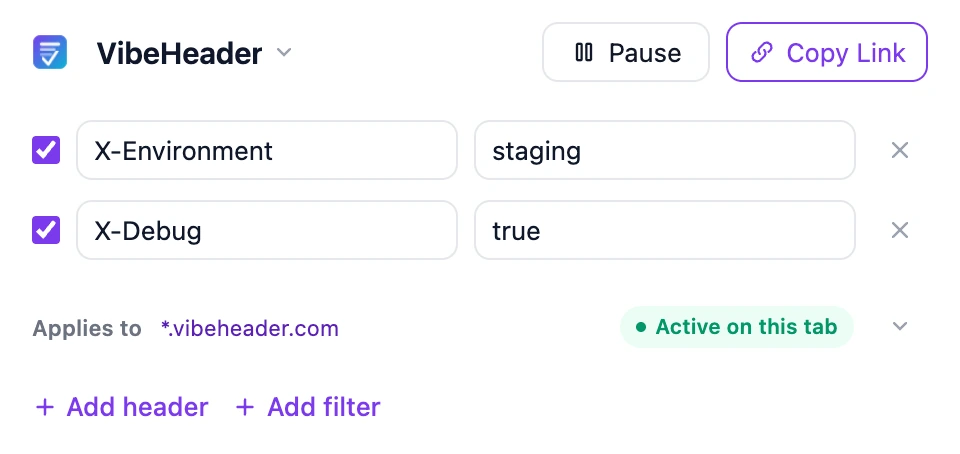
Replace ModHeader in Edge in three steps
- Install VibeHeader from the official Microsoft Edge Add-ons listing.
- Create or select a Profile, add the request headers you need, and optionally add Request Filters for a host, URL, wildcard, or regular expression.
- Verify the result: reload the target page, open Edge DevTools → Network, select a request, and inspect its Request headers.
Moving from ModHeader after the July 2026 security event? Start with the cleanup and self-check guide, then follow the migration checklist.
What this Edge header editor does
| Task | VibeHeader workflow |
|---|---|
| Add or replace a request header | Enter a header name and value; the browser’s MV3 rules apply it to outgoing requests. |
| Limit where headers apply | Add Request Filters for a host, URL, wildcard, or regular expression and test an exact target URL. |
| Keep projects separate | Store each environment or project in a local Profile and enable the Profiles you need. |
| Temporarily stop changes | Pause one Profile without disabling the other Profiles you still need. |
| Remove an entry | Delete the header row from the extension popup. |
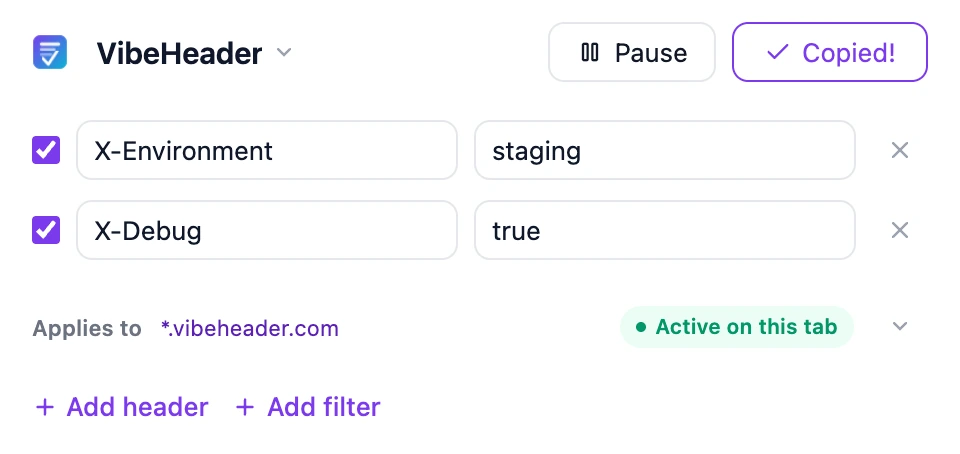
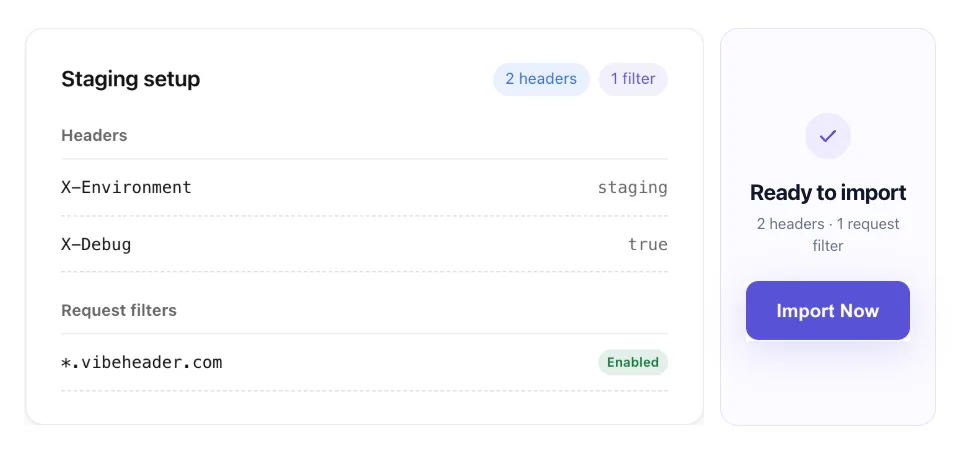
| Share a complete setup | Copy one Profile’s name, enabled headers, and valid Request Filters in a link whose payload stays after #c=; the share page previews and imports it locally. |
| Confirm the result | Inspect Request headers in Edge DevTools → Network after reloading the page. |
The current interface is intentionally focused on request headers. If you need redirects, mocks, scripts, or a large rules platform, see the ModHeader alternatives comparison.
Share the same scoped setup in Edge
Send one link instead of a screenshot or a list of values. A teammate can review the headers and Request Filter, then import the same setup into VibeHeader for Edge.
The setup is read from the URL fragment in the browser; it is not sent to the VibeHeader server. Treat the complete link as sensitive if it contains credentials.
Edge header editor FAQ
Can VibeHeader replace the ModHeader extension in Edge?
For request-header workflows, yes. VibeHeader supports local Profiles, precise Request Filters, a built-in URL tester, clear precedence when Profiles overlap, and complete setup sharing. For redirects, mocks, scripts, or response headers, compare broader tools first.
Does it work with Microsoft Edge?
Yes. VibeHeader is published in the official Microsoft Edge Add-ons store and uses the browser’s Manifest V3 request-rules API.
How do I know the modified header is active?
Reload the page after enabling the configuration. In Edge DevTools, open Network, select the request you want to inspect, and look under Request headers.
Can I use the same extension in Chrome?
Yes. See the Chrome header editor or the full Chrome request-header tutorial.