Install VibeHeader 1.2
VibeHeader 1.2.0 is now available from both the Chrome Web Store and Microsoft Edge Add-ons. Install from your browser's official store for automatic updates.
Manual option: download the same release as a ZIP, then load it unpacked in chrome://extensions or edge://extensions. VibeHeader is ad‑free, has no extension analytics, and publicly documents its requested permissions.
FAQ
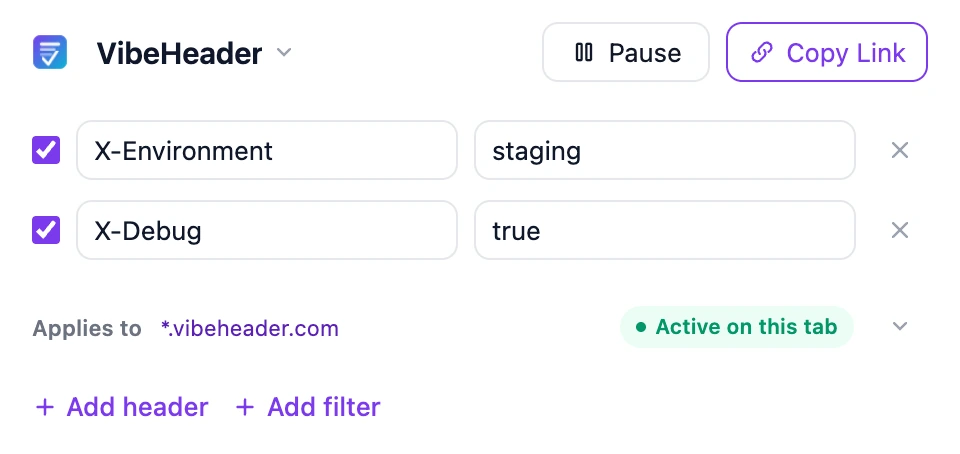
- 🧩 Version 1.2: Adds Header Comments and reordering while keeping Profiles, Request Filters, URL testing, and filter-aware share links.
- 🔐 Permissions: Publicly documented; Request Filters scope headers to matched request URLs.
- 🔒 Privacy: No telemetry or injected ads. Share/import handled client‑side via URL fragment.
- 🌐 Chrome vs Edge: VibeHeader 1.2 is available from both official stores with the same header-editing features.
Manual Install (Chrome)
- Download the ZIP: vibeheader-1.2.0.zip.
- Extract the ZIP to a permanent folder, for example:
~/Downloads/VibeHeader-1.2.0/. - Open Chrome and go to
chrome://extensions. - Enable Developer mode (top-right toggle).
- Click Load unpacked and select the extracted folder (the
VibeHeader-1.2.0folder that containsmanifest.json). - VibeHeader appears in the list. Pin it from the toolbar menu for quick access.
Manual Install (Microsoft Edge)
- Download the ZIP: vibeheader-1.2.0.zip.
- Extract the ZIP to a permanent folder, for example:
~/Downloads/VibeHeader-1.2.0/. - Open Edge and go to
edge://extensions. - Enable Developer mode (left panel toggle).
- Click Load unpacked and select the extracted folder (the
VibeHeader-1.2.0folder that containsmanifest.json). - VibeHeader appears in the list. Pin it from the toolbar menu for quick access.
Store Availability
VibeHeader 1.2 is available from the Chrome Web Store and Microsoft Edge Add-ons. Store installations receive automatic updates; the official ZIP remains available for manual installation and testing.