Extension update
How to update VibeHeader
Chrome normally updates VibeHeader automatically. If you still have an older version, you can check manually.
Need 1.2 for Header Comments?
VibeHeader 1.2 is available from both official browser stores. Install from the store for your browser, then return to the shared Profile and refresh the page.
Check for updates
-
Copy this address and paste it into the Chrome address bar:
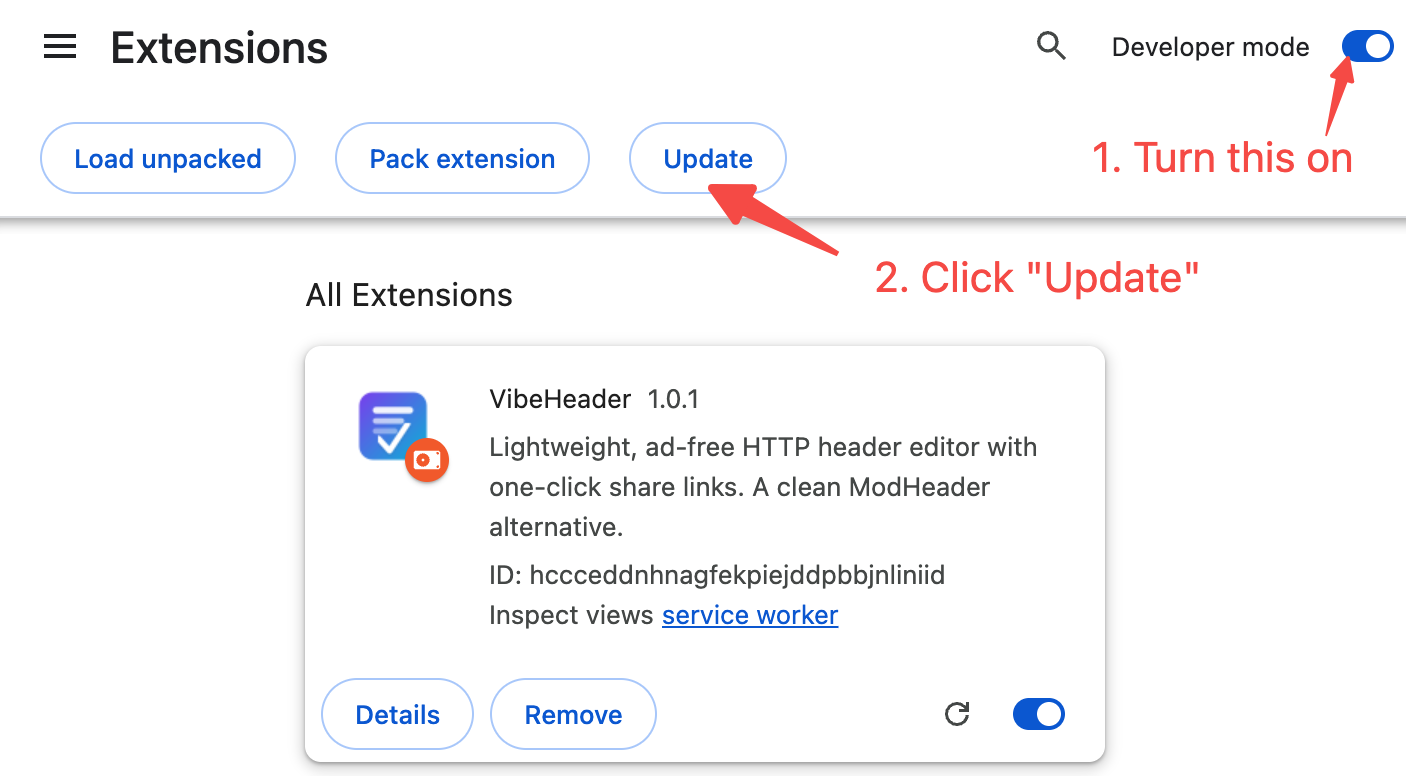
chrome://extensions - Turn on Developer mode.
- Click Update. Your browser will check installed extensions for newer versions.
- Wait a few seconds for the update check to finish.
- Return to the original VibeHeader share page and refresh it.
Keep your existing setup
When the browser's normal update finds 1.2, you don't need to uninstall or reinstall VibeHeader. Your existing Profiles, Headers, and Request Filters stay in local extension storage.
After the update
Close this tab, return to the share link, and refresh the page. VibeHeader will be detected again and the available action will update automatically.