VibeHeader 1.1

Header Control That Stays Simple.

Add request headers in seconds. Reach for Filters when scope matters, Profiles when projects multiply, and one link when a setup needs to travel.
VibeHeader 1.1 with request headers, an active URL scope, and a list of project Profiles
01 · Request headers

Start With One Name and Value.

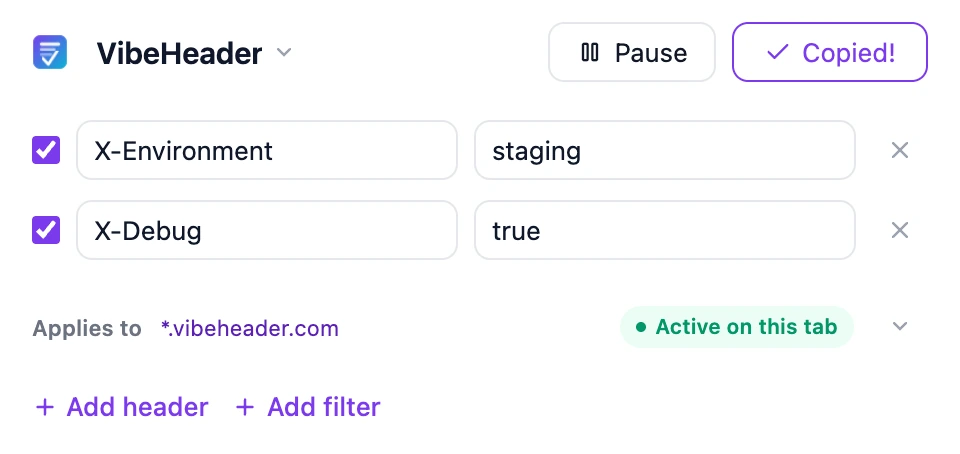
Open the popup, add the header you need, and keep moving. The simple path stays simple.

VibeHeader editing two request headers with the setup active on the current tab
02 · Sharing

Stop Copy-Pasting Headers.

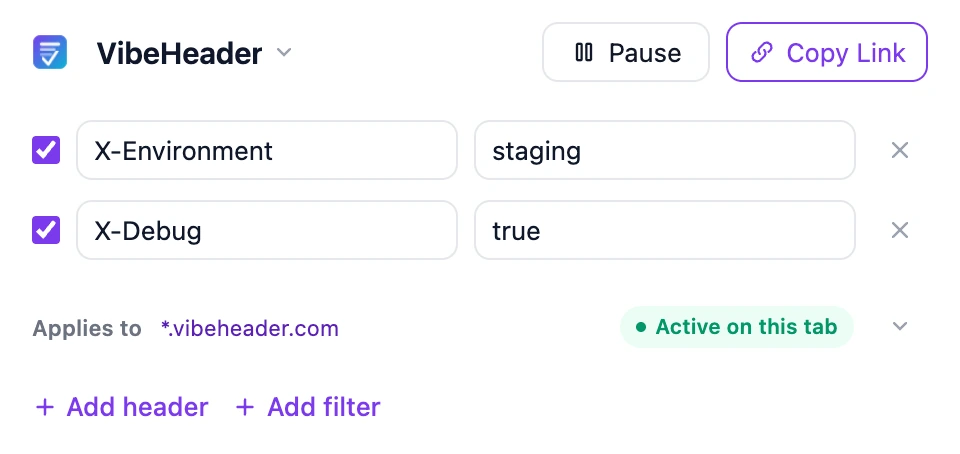
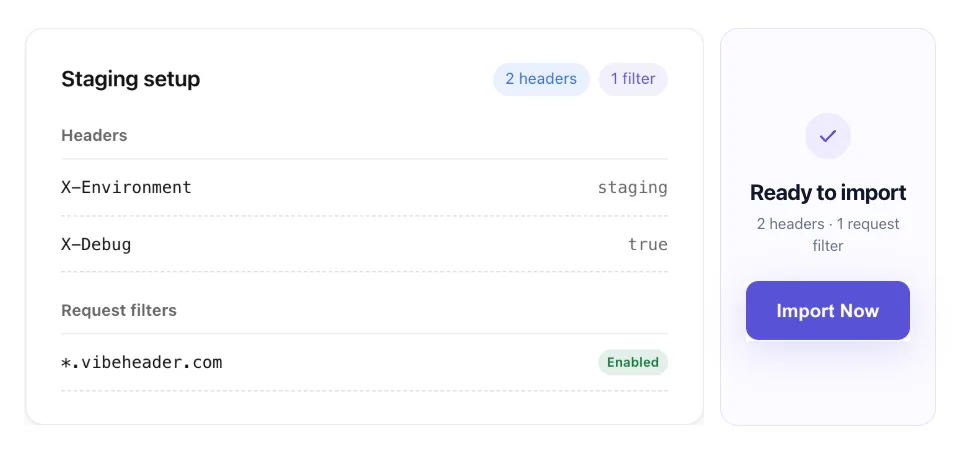
Share one Profile by link. Your teammate can review the headers and filters, then import the same setup—without an account, screenshots, or config files.
Copy

Send One Link

VibeHeader confirming that a setup link has been copied
Review

Preview Before Import

Shared VibeHeader Profile preview showing headers and a Request Filter before import
03 · Request Filters

Keep Headers Where They Belong.

Prevent sensitive headers from reaching the wrong site. Choose a suggested scope, write a wildcard or regex when needed, and test the exact URL before relying on it.
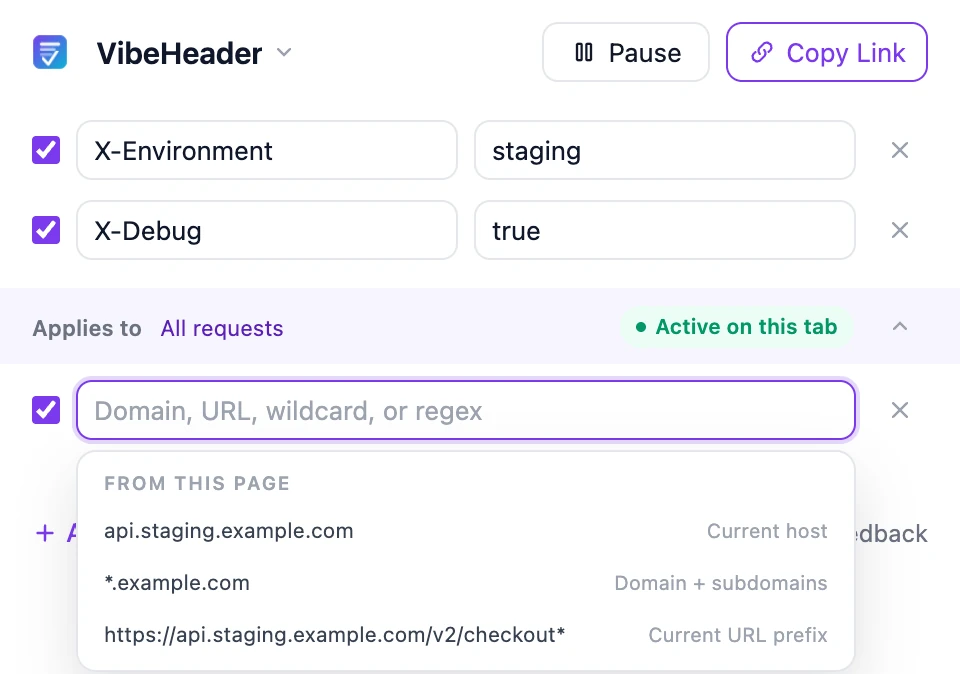
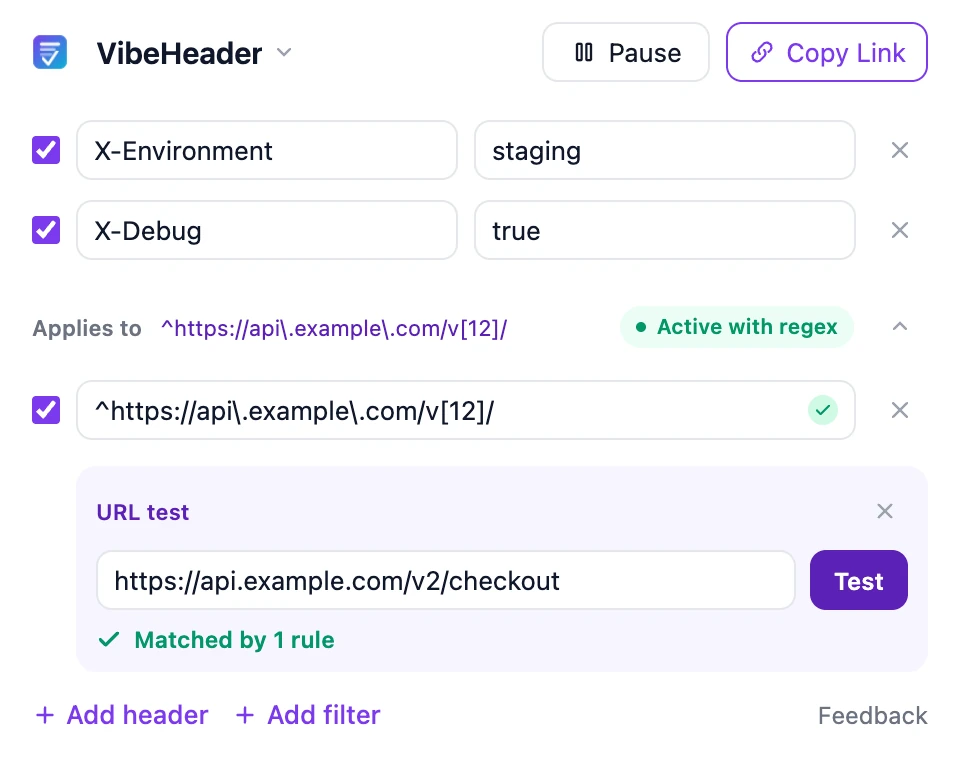
Start From the Current Page

VibeHeader suggesting the current host, parent domain, and current URL prefix as Request Filters

Test Before You Browse

VibeHeader URL tester confirming that an API URL matches a regular-expression filter
04 · Profiles

Switch Projects, Not Values.

Keep local, staging, QA, and experiments separate. Name each setup once, activate the Profiles you need, and stop rewriting the same rows between projects.
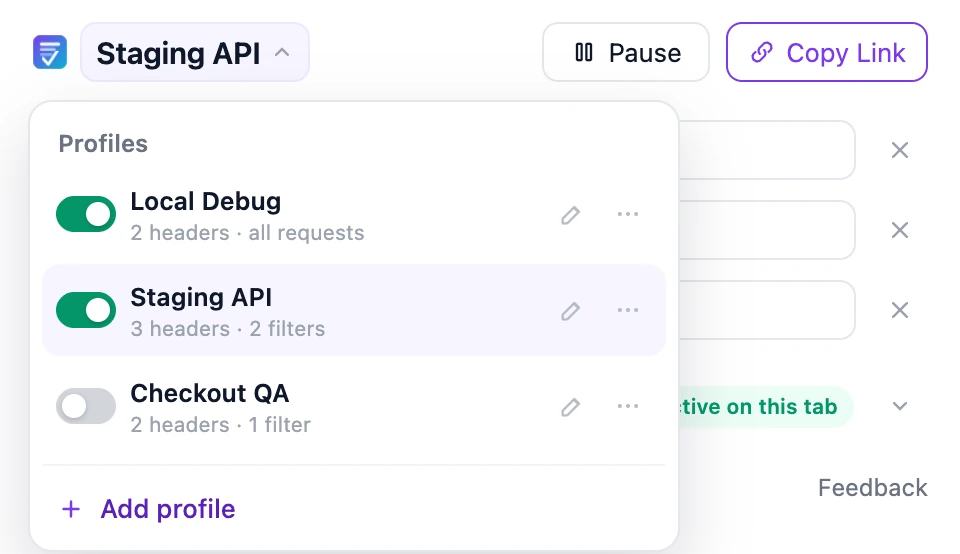
VibeHeader Profile menu with separate local development, staging, website QA, checkout, and production setups
Clear boundaries

Built for Focused Request-Header Work.

What 1.1 supports

  • Request-header add, replace, and remove rules
  • Domain, URL, wildcard, and regular-expression filters
  • Multiple active Profiles with deterministic precedence
  • Filter-aware sharing and local import

What it does not add yet

  • Response-header modification
  • Request or response body rewriting
  • Cloud sync or team accounts
  • Remote analytics inside the extension
FAQ

How 1.1 Behaves.

Does VibeHeader modify request or response headers?

VibeHeader 1.1 modifies request headers. Response-header support is not available yet.

Can more than one Profile be active?

Yes. Active Profiles run together. If they set the same header on the same request, the later Profile in the list takes priority and VibeHeader shows an override warning.

How do multiple Request Filters work?

Enabled filters inside one Profile use OR matching: the Profile applies when any enabled filter matches. With no enabled filters, the Profile applies to all supported requests.

Which requests can VibeHeader modify?

VibeHeader 1.1 applies request headers to page navigations, frames, and fetch or XMLHttpRequest traffic that matches the active Profile filters.

Where are Profiles stored?

Profiles, headers, filters, and preferences are stored locally in chrome.storage.local. VibeHeader does not require an account or sync them to a VibeHeader server.

What is included in a share link?

A share link contains one Profile name, its enabled valid headers, and its valid Request Filters. The payload stays in the URL fragment and is previewed before import.