Exact host
api.staging.example.com
Best when the setup belongs to one host only.
A debug token meant for staging should never follow you onto an unrelated site. Give each Profile a clear URL scope, verify it, and browse with confidence.
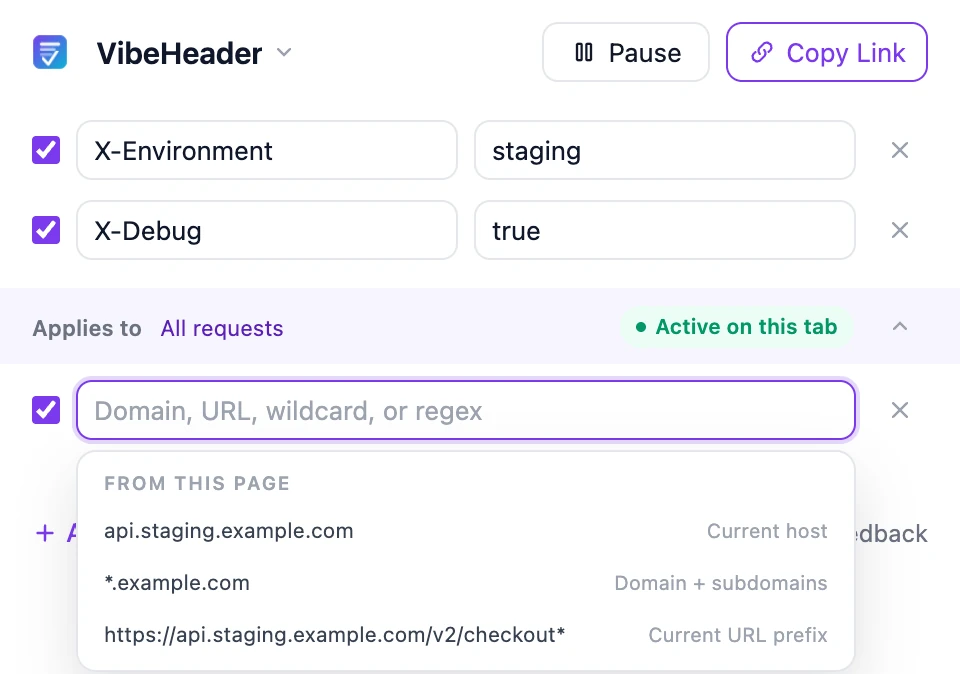
VibeHeader suggests three useful starting points from the current page: the exact host, the parent domain with subdomains, and the current URL prefix. Choose the narrowest scope that fits.
api.staging.example.com
Best when the setup belongs to one host only.
*.example.com
Useful when the same setup spans related hosts.
https://api.example.com/v2/checkout*
Use it to keep a header inside one path or API area.
Use an exact domain or URL for clarity, a wildcard for a readable pattern, or a regular expression for versioned routes and other advanced cases.
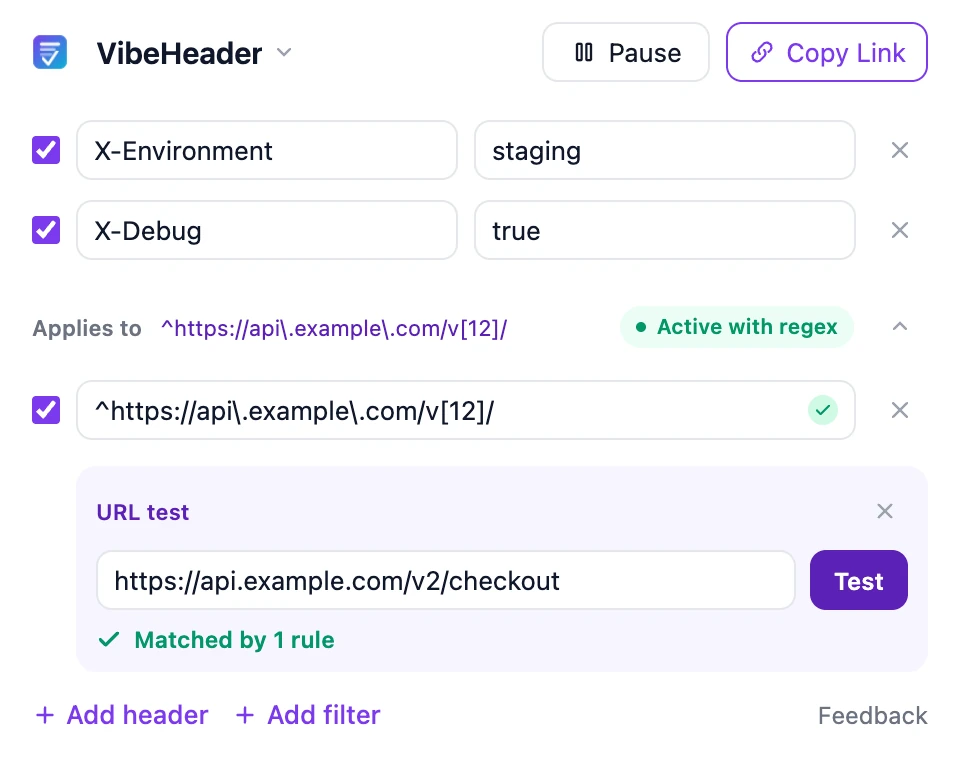
Paste the URL your app will call—not only the page visible in the address bar. The tester evaluates it against every enabled filter in the current Profile and tells you whether it matches.
When a Profile has several enabled filters, a request only needs to match one of them.
An active Profile with no enabled filters applies to all supported request types. Add a filter when broad scope is not intended.
Shared Profiles keep their valid filters and enabled states, so the receiver can review the same boundaries before importing.
The Profile applies to every supported request while it is active. Add at least one enabled filter when a header should stay within a specific site or URL scope.
Enabled filters in the same Profile use OR matching. A request only needs to match one enabled filter for that Profile to apply.
VibeHeader supports exact domains, full URLs, wildcard patterns, and JavaScript regular expressions.
Yes. Open the built-in URL tester, paste an exact target request URL, and VibeHeader shows whether any enabled filter matches.
Yes. Valid filters stay with the Profile in a share link, including whether each filter is enabled. The receiver can review them before import.