Profiles, Request Filters, and Better Sharing
Start with a header. Add precise URL scope when you need it. Keep each project separate when one setup is no longer enough.
Start with a header. Add precise URL scope when you need it. Keep each project separate when one setup is no longer enough.
Since the first release, we have received a lot of thoughtful feedback from the VibeHeader community. Different teams kept returning to the same three needs:
So we built VibeHeader 1.1 around those requests: multiple Profiles, precise Request Filters with a URL tester, and filter-aware sharing. The quick path is still the same—add one header, turn it on, and keep working.
We also fixed a popup save reliability bug. Header edits and checkbox changes now persist immediately, so closing the popup right after a change no longer risks dropping the latest state. Background updates and first-wake messaging are more resilient too.
Multiple Profiles
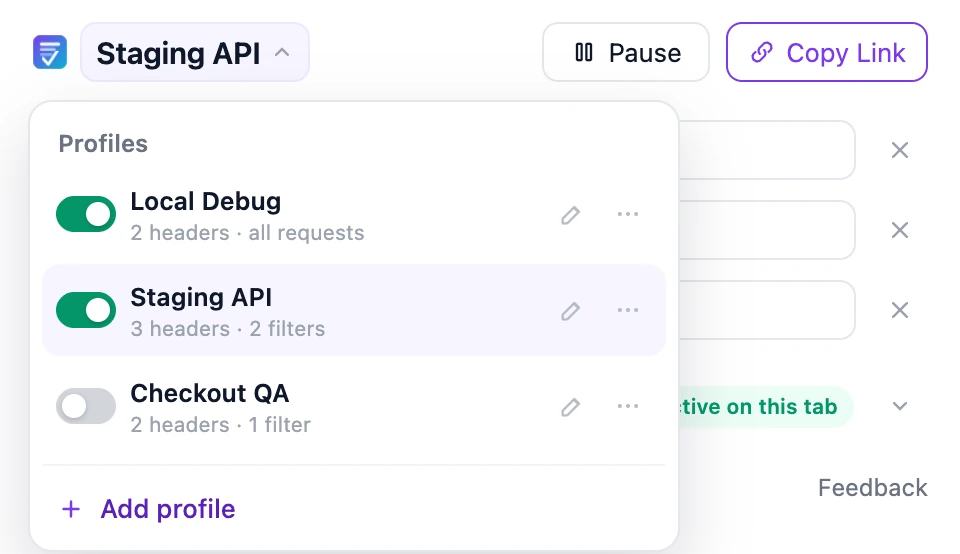
Save headers and filters by project, then switch without rebuilding the setup. Profiles can be enabled independently, so a local debugging setup and a staging API setup can run together.
Request Filters
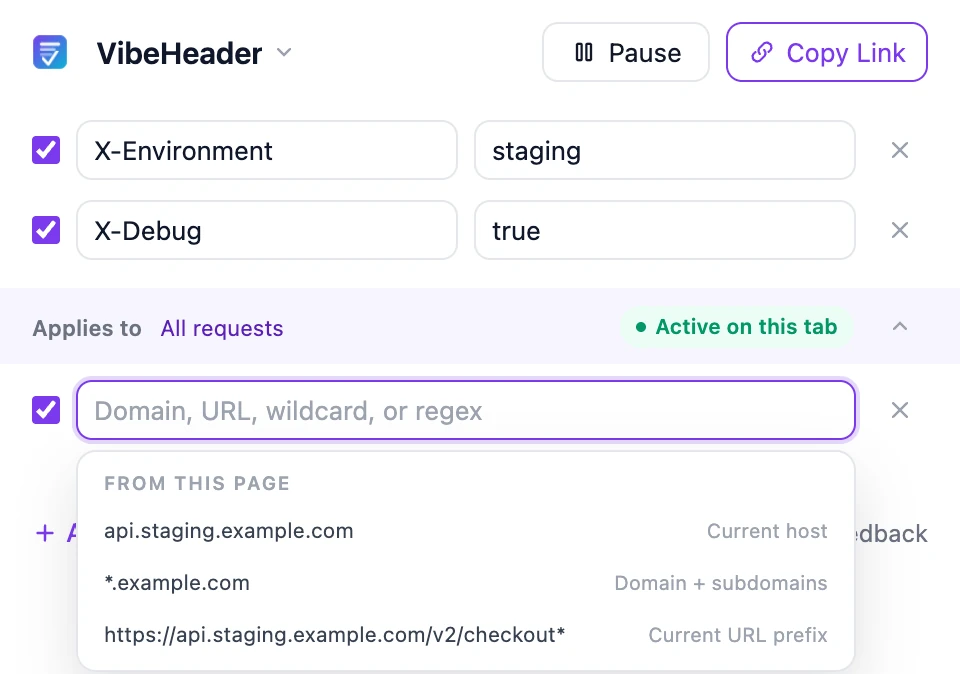
Open a Filter from the page you are testing and VibeHeader suggests three useful starting points:
Advanced matching
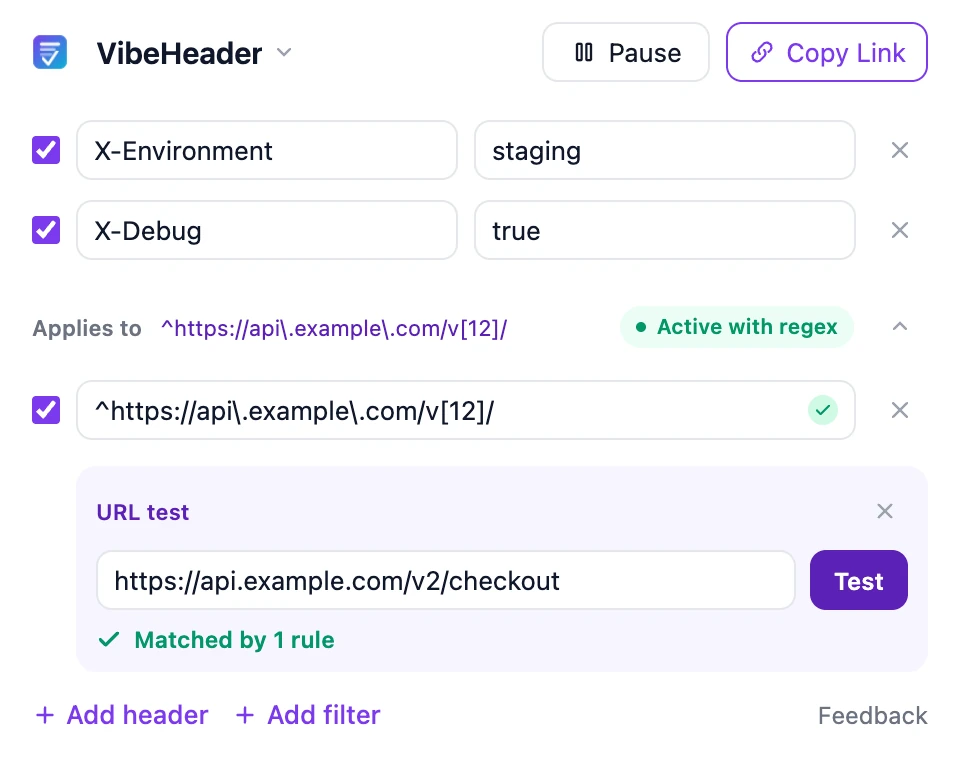
When a host or wildcard is not precise enough, add a regular expression. The built-in URL tester shows whether an example URL matches the enabled Filters before you return to your app.
Better sharing
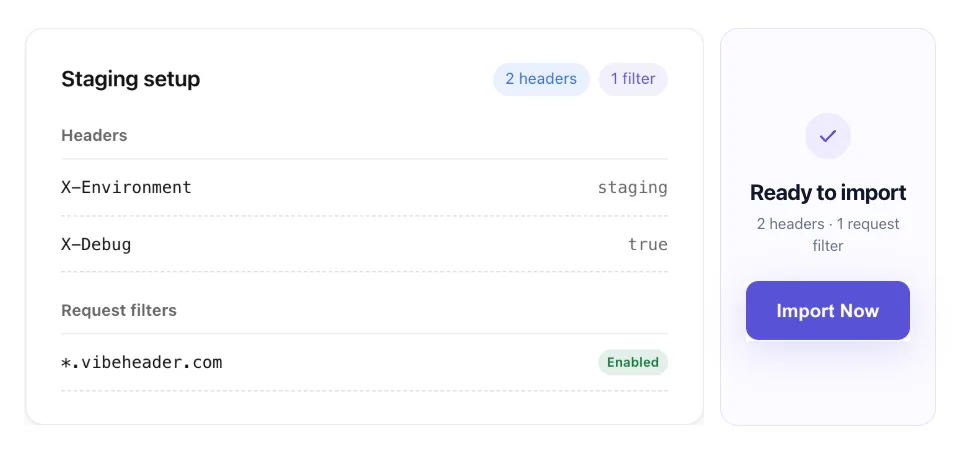
A VibeHeader link can now carry one Profile’s name, enabled valid request headers, and valid Request Filters. Your teammate can preview the setup before importing it.
The same simple starting point
You do not need a Profile strategy or a Filter to begin. Add a name and value, turn it on, and keep working. The new controls are there when your workflow grows into multiple projects, environments, or URL scopes.